# Welcome to ESGManage

## Onboarding

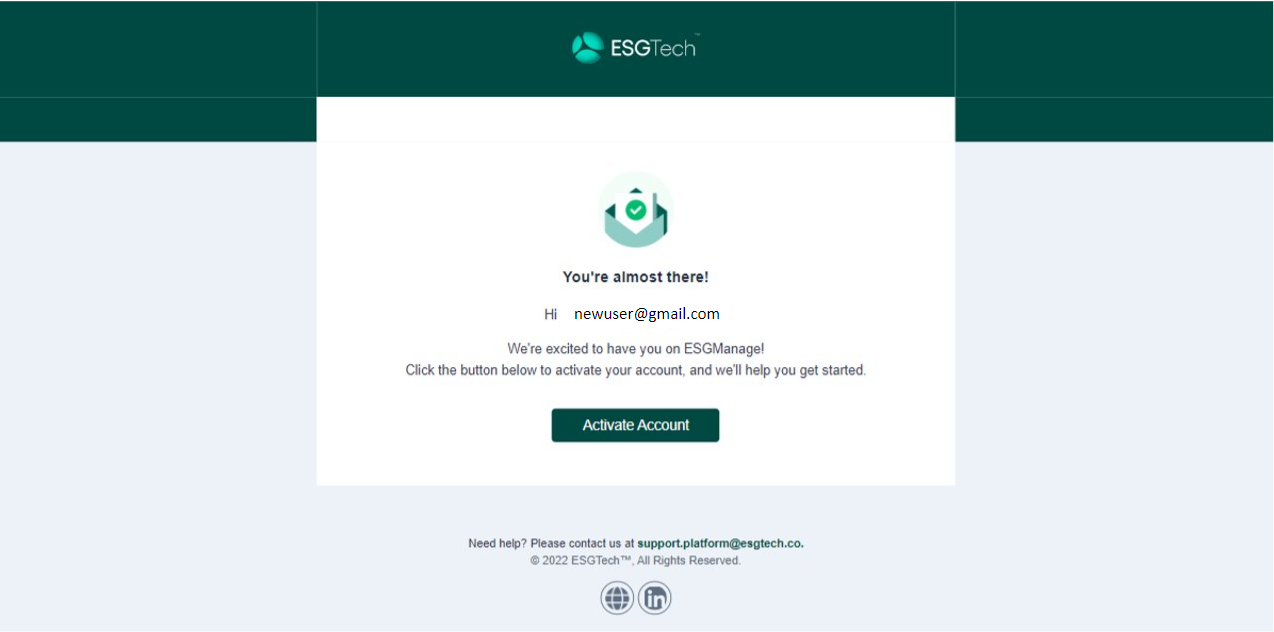
When a new user is onboarded to ESGManage, they will receive an email like the one below. Click on the ‘Activate Account’ link to be directed to the ESGManage web portal.

{% hint style="info" %}
Note: Depending on the level of email security the user is exposed to, users may need to check junk mail for the activation email.
{% endhint %}

<figure><img src="https://2324002310-files.gitbook.io/~/files/v0/b/gitbook-x-prod.appspot.com/o/spaces%2FqWBsUlkr5rk4h2y1snao%2Fuploads%2Fgit-blob-0b465041f4bd28d627b954ce5ec888206f4aee27%2Fonboarding%20email.png?alt=media" alt=""><figcaption></figcaption></figure>

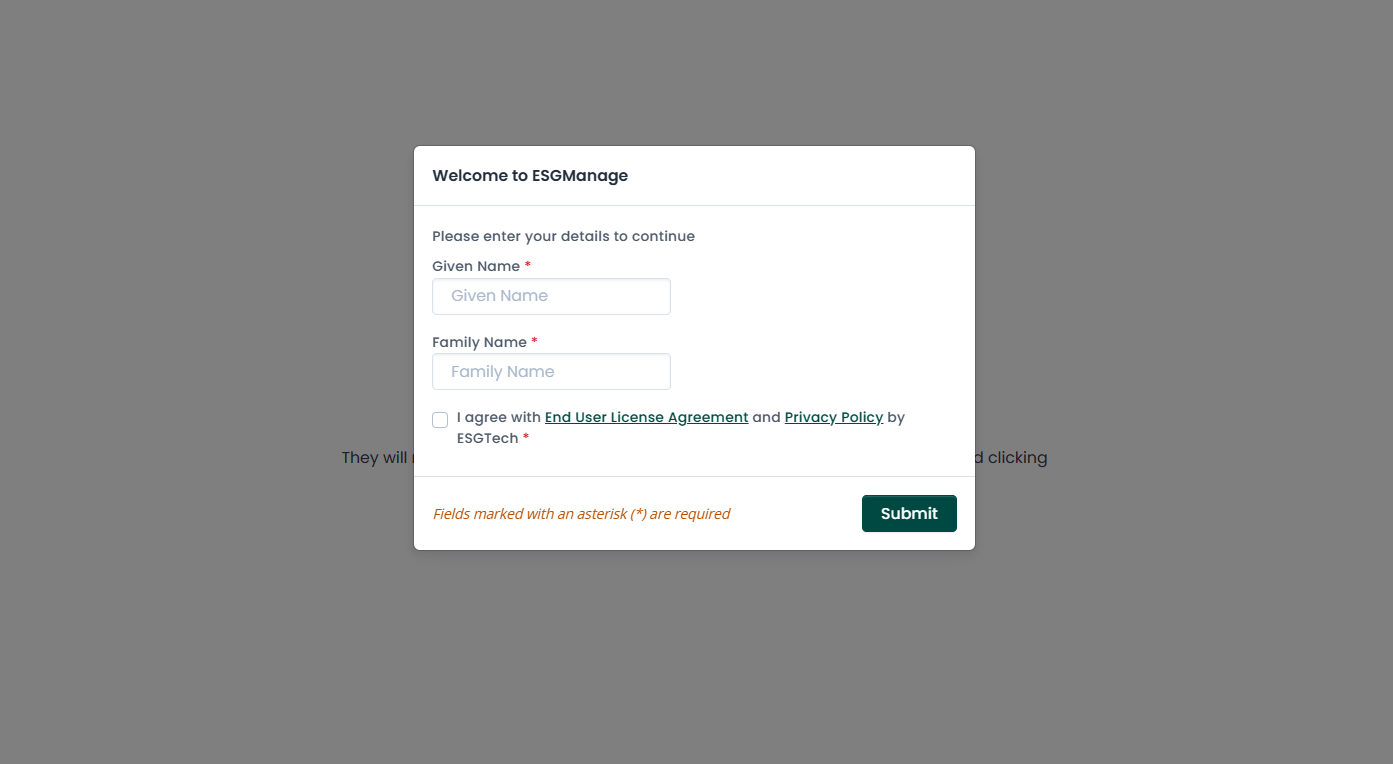
User enters in their given and family names, reviews terms and conditions, then clicks submit.

<figure><img src="https://2324002310-files.gitbook.io/~/files/v0/b/gitbook-x-prod.appspot.com/o/spaces%2FqWBsUlkr5rk4h2y1snao%2Fuploads%2Fgit-blob-66a22585d70f02c441ec57ce4a311f10e9739e47%2F1.png?alt=media" alt=""><figcaption><p>New user naming.</p></figcaption></figure>

A new user will enter the platform and see a welcome message upon successful registration.

<figure><img src="https://2324002310-files.gitbook.io/~/files/v0/b/gitbook-x-prod.appspot.com/o/spaces%2FqWBsUlkr5rk4h2y1snao%2Fuploads%2Fgit-blob-c1b278d3db618d5b9fa1384f3c65d77698361596%2F2%20(1).png?alt=media" alt=""><figcaption><p>New user landing page on ESGManage.</p></figcaption></figure>

User will then be prompted to configure the starting month of their ESG reporting period. For example, if user selects the starting month of July, the reporting cycle is set as July of the current year to June of the following year.
---

# Agent Instructions: Querying This Documentation

If you need additional information that is not directly available in this page, you can query the documentation dynamically by asking a question.

Perform an HTTP GET request on the current page URL with the `ask` query parameter:

```
GET https://userguide.live.esgtech.co/readme.md?ask=<question>
```

The question should be specific, self-contained, and written in natural language.
The response will contain a direct answer to the question and relevant excerpts and sources from the documentation.

Use this mechanism when the answer is not explicitly present in the current page, you need clarification or additional context, or you want to retrieve related documentation sections.
